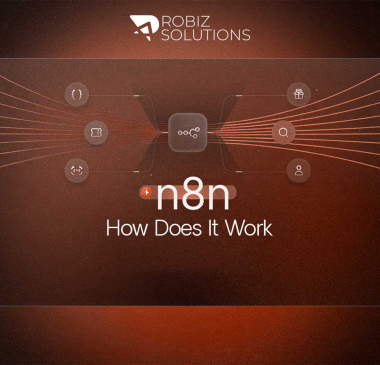
An n8n AI agent is a workflow that uses a large language model (LLM) to reason, plan, and take actions across connected tools; not just execute a fixed sequence of steps, but dynamically decide what to do next based on context and available tools.
In 2026, AI agents built with n8n represent the most significant automation advancement available to non-enterprise businesses. Unlike traditional automation (if A, then B), AI agents can answer questions, search databases, browse the web, create documents, update records, and communicate; all based on natural language instructions and real-time reasoning.
This guide explains what n8n AI agents are, when to use them vs. standard automation, and how to build one.
What Is an n8n AI Agent?
An n8n AI agent is built around the AI Agent node, which uses LangChain’s agent framework to connect an LLM (such as GPT-4, Claude, or Gemini) with a set of tools; functions the agent can choose to call to complete its task.
Standard automation: Executes a fixed sequence. Every run follows the same path.
AI agent: Receives a goal or question. Uses an LLM to reason about what steps are needed. Calls tools in whatever order makes sense. Adapts based on the results it gets.
Simple analogy: Standard automation is a train on fixed rails. An AI agent is a driver who decides the route based on traffic conditions and the destination.
When to Use an AI Agent vs. Standard Automation
Use standard automation when:
- The steps are always the same
- There is no ambiguity or decision-making required
- Speed and reliability are the top priorities
- Data is structured and predictable
Use an AI agent when:
- The task involves natural language understanding
- The steps vary based on context (different customers need different responses)
- Judgment is required (classify, prioritize, assess)
- The task involves researching or synthesizing information
- You need to handle edge cases gracefully
The Components of an n8n AI Agent
Every n8n AI agent has three core components:
1. The LLM (Brain)
The language model that reasons and makes decisions. In n8n you can connect:
- OpenAI (GPT-4o, GPT-4 Turbo): most widely used, strongest general reasoning
- Anthropic Claude: strong at analysis and structured outputs
- Google Gemini: strong multimodal capabilities
- Local models via Ollama: for data privacy requirements
2. Memory
Memory determines whether the agent remembers context across interactions:
- Simple Buffer Memory: stores recent conversation turns in the current session
- Window Buffer Memory: stores the last N messages
- Database Memory: stores conversation history in a database for long-term recall
3. Tools
Tools are the actions the agent can take. n8n’s AI agent node supports:
- Calculator: mathematical reasoning
- Wikipedia Tool: knowledge lookup
- HTTP Request Tool: call any external API
- Code Tool: run JavaScript or Python
- Custom Tools: any workflow you build can be used as a tool
Step-by-Step: Building a Customer Support AI Agent in n8n
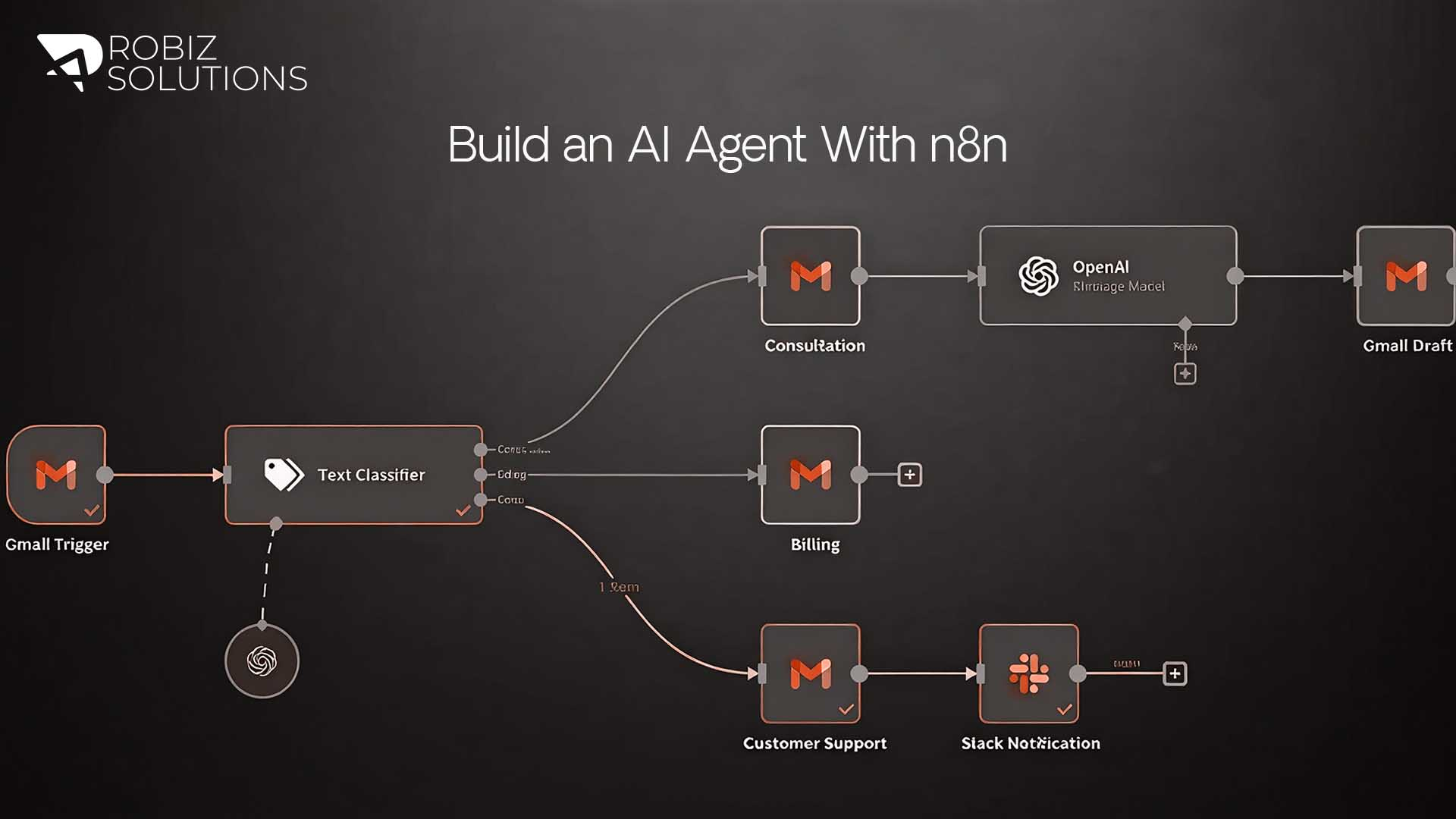
This example builds an AI agent that handles incoming support emails, searches a knowledge base, generates responses, and escalates when needed.
Step 1: Set Up Your Trigger
Create a new n8n workflow. Add a Gmail Trigger node (or Email Trigger for other providers). Configure it to trigger when a new email arrives in your support inbox.
Step 2: Add the AI Agent Node
Add an AI Agent node to the workflow. This is the core of your agent.
Configure the System Prompt:
You are a customer support agent for [Company Name].
Your job is to:
- Understand the customer’s issue
- Search the knowledge base for a relevant solution
- Generate a helpful, friendly response
- If you cannot find a relevant answer, escalate to a human agent
Always be empathetic, clear, and concise.
Step 3: Connect the LLM
In the AI Agent node, select your LLM provider (e.g., OpenAI GPT-4o). Add your API key. Select the model.
Step 4: Add Memory
Add a Simple Buffer Memory node and connect it to the AI Agent. This allows the agent to maintain context if the same conversation involves multiple messages.
Step 5: Add Tools
Tool 1: Knowledge Base Search Create a sub-workflow that:
- Takes a search query as input
- Searches your knowledge base (Notion, Google Docs, Airtable, or a vector database)
- Returns relevant content
- Register this as a tool in the AI Agent node
Tool 2: Escalation Tool Create a sub-workflow that:
- Takes the email content and a reason as input
- Creates a ticket in your helpdesk (Zendesk, Freshdesk, etc.)
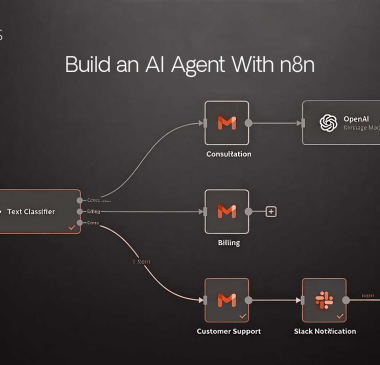
- Notifies the human support team via Slack
- Register this as a tool in the AI Agent node
Step 6: Add Output Handling
After the AI Agent node produces a response, add:
- A Gmail node to send the generated response to the customer
- A Airtable node to log the interaction in your CRM
- An IF node to detect if escalation was triggered and route accordingly
Step 7: Test and Iterate
Run the workflow with test emails. Review the agent’s reasoning and outputs. Adjust the system prompt based on where the agent makes mistakes. Add edge case handling for common failure scenarios.
Advanced n8n AI Agent Patterns
Multi-Agent Orchestration
For complex tasks, multiple agents can be orchestrated: a Planner agent breaks a task into steps, Specialist agents execute each step, and an Aggregator agent compiles the results. This pattern is used for tasks like end-to-end content production or multi-source research.
Tool Chaining
Agents that use the output of one tool as input to another; for example, searching the web, extracting key facts, then generating a report from those facts.
Human-in-the-Loop
For high-stakes actions, build a confirmation step where the agent generates a plan and a human approves it before execution. n8n’s wait-for-webhook node enables this pattern.
How Robiz Solutions Builds AI Agent Systems
At Robiz Solutions, our AI Agency team builds production-grade n8n AI agent workflows for clients across marketing, operations, and customer service. We don’t just build a single-node demo; we architect complete multi-agent systems with proper error handling, memory management, escalation paths, and observability.
Our Tech & Digital Engineering team handles the full technical stack: n8n deployment, LLM configuration, vector database setup, API integrations, and ongoing optimization. Contact us to scope an AI agent project for your business.
Questions About Building an n8n Ai Agents
Basic agents can be built through the visual interface without coding. More capable agents with custom tools require JavaScript or Python for the tool logic. The visual reasoning layer (the AI Agent node itself) requires no code.
Costs depend on: n8n hosting (self-hosted = server cost only), LLM API calls (OpenAI charges per token — typically fractions of a cent per interaction), and any third-party API costs. For a typical customer support agent handling 100 emails/day, total variable costs are typically under $10–20/month.
Yes. AI agents can misunderstand queries, call incorrect tools, or generate inaccurate responses. This is why error handling, human-in-the-loop design for high-stakes actions, and regular monitoring are essential for production agents.
A chatbot responds to text inputs in a conversational interface. An n8n AI agent can take actions in connected systems (create records, send emails, search databases) not just respond. Chatbots can be the front end of an n8n AI agent.
Yes, through tool calling. An agent can be given a web search tool, an API lookup tool, or a database query tool that retrieves live data at the time of each query, the LLM’s knowledge cutoff doesn’t limit what real-time tools can access.
Define a clear and constrained system prompt. Only give the agent access to tools it legitimately needs. Use human-in-the-loop patterns for irreversible actions (sending mass emails, deleting records). Log all agent actions for audit trails.
GPT-4o is the most reliable general-purpose choice for complex reasoning. Claude 3.5 Sonnet performs well for structured data tasks and long context. For cost-sensitive, high-volume workflows, GPT-3.5-Turbo or local models via Ollama reduce costs significantly.
Published by Robiz Solutions – robizsolutions.com